Groovy was created as a dynamic language, but it also offers static compilation for a long time. Myself, I prefer the static compilation…
How to Compile Groovy Statically by Default
Groovy was created as a dynamic language, but it also offers static compilation for a long time. Myself, I prefer the static compilation, especially in large projects. It’s also a must-have if the test coverage is low. There is a project called Enterprise Groovy which can help you set up static compilation for the whole project. It also supports Grails static compilation out of the box.
[Statically Compiled Groovy: Give Groovy a Chance - DZone Java[virtualdogbert/enterprise-groovyThere is a companion Gradle plugin that is sadly broken in the latest Gradle releases (6+).
[Introduction Enterprise Groovy Gradle PluginLuckily there is quite a simple way how to apply Enterprise Groovy to your project manually. First, add a compile-only dependency on the Enterprise Groovy library (not the plugin):
dependencies {
compileOnly ‘com.virtualdogbert:enterprise-groovy:1.0.3’
}
Then create the conventions file. I have chosen the location config/groovy/conventions.groovy , but the location does not matter. You can use the templates declared in the broken plugin. See the documentation above for detail explanation of the conventions.
For general Groovy project, you can use this content:
Map conventions = [
disable : false,
whiteListScripts : true,
disableDynamicCompile : false,
dynamicCompileWhiteList : [],
compileStaticExtensions : [],
limitCompileStaticExtensions: false,
defAllowed : true,
skipDefaultPackage : false
]
System.setProperty(
‘enterprise.groovy.conventions’,
“conventions=${conventions.inspect()}”
)
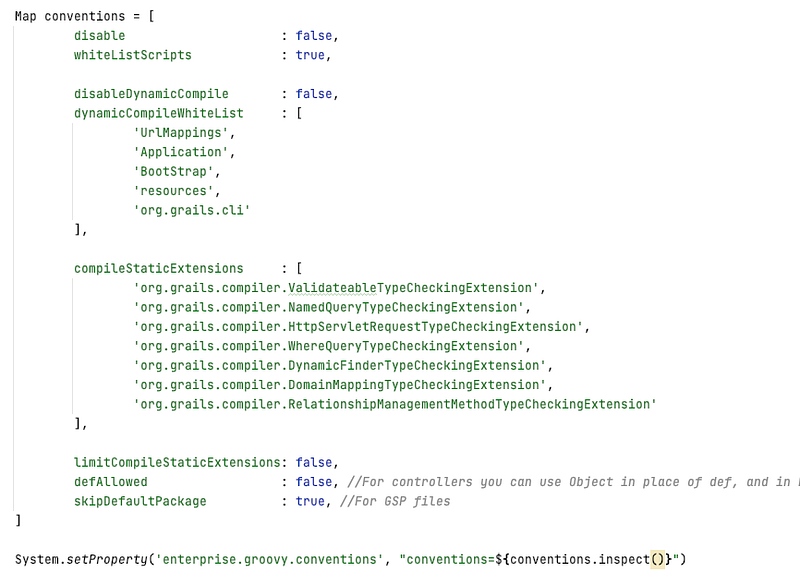
For Grails project, you can use this content:
Map conventions = [
disable : false,
whiteListScripts : true,
disableDynamicCompile : false,
dynamicCompileWhiteList : [
‘UrlMappings’,
‘Application’,
‘BootStrap’,
‘resources’,
‘org.grails.cli’
],
limitCompileStaticExtensions: false,
defAllowed : false,
skipDefaultPackage : true,
compileStaticExtensions : [ ‘org.grails.compiler.ValidateableTypeCheckingExtension’, ‘org.grails.compiler.NamedQueryTypeCheckingExtension’, ‘org.grails.compiler.HttpServletRequestTypeCheckingExtension’, ‘org.grails.compiler.WhereQueryTypeCheckingExtension’, ‘org.grails.compiler.DynamicFinderTypeCheckingExtension’, ‘org.grails.compiler.DomainMappingTypeCheckingExtension’, ‘org.grails.compiler.RelationshipManagementMethodTypeCheckingExtension’
],
]
System.setProperty(
‘enterprise.groovy.conventions’,
“conventions=${conventions.inspect()}”
)
As the last step, you have to assign the convention script to the Groovy compilation task in your Gradle build file.
compileGroovy.groovyOptions.configurationScript =
file(‘config/groovy/conventions.groovy’)
If you are running Grails, you can actually remove some of the type checking extensions to get rid of some not very good practices such as calling GORM methods directly instead of using Data Services. In that case, remove the following extensions:
org.grails.compiler.DynamicFinderTypeCheckingExtension
org.grails.compiler.RelationshipManagementMethodTypeCheckingExtension
This won’t prevent calling GORM instance and static method but there are some other solutions available which I will publish soon.